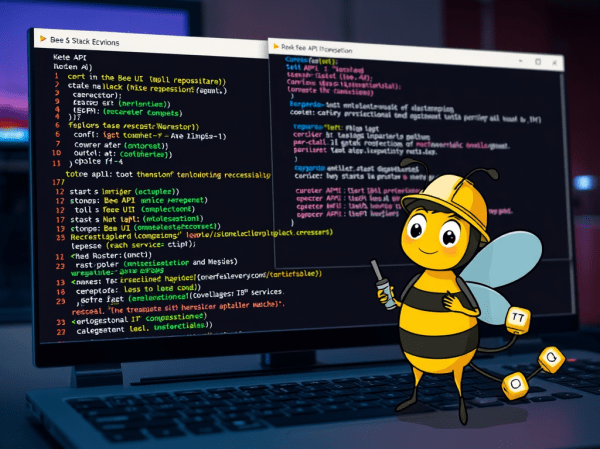
The content outlines the setup process for a development environment aimed at contributing to the Bee API and Bee UI repositories within the broader Bee Stack. It details the steps of cloning repositories, starting infrastructure, configuring .env files, and launching both the Bee API and UI servers, ensuring readiness for development.
Create a Full-Screen Web-Chat with watsonx Assistant, IBM Cloud Code Engine and watsonx.ai
The blog post shows integrating watsonx Assistant and watsonx.ai to create a full-screen user interface for interacting with a large language model (LLM) using minimal coding. It outlines the motivation, architecture, setup process, and specific actions necessary to deploy the integration on IBM Cloud Code Engine.
CheatSheet: Essential Steps to Configure Podman Machines
Podman is enhancing its capabilities in managing containers, allowing seamless integration with Kubernetes. This blog outlines how to configure a Podman machine, including creating a machine with specific resources and modifying configurations without deletion. It highlights essential commands like podman machine init and podman machine set.
IBM Granite for Code models are available on Hugging Face and ready to be used locally with “watsonx Code Assistant”
IBM Granite for Code models on Hugging Face are beneficial for developers, allowing seamless integration with VS Code. They support 116 programming languages and are available under an Apache 2.0 license.
Implementing LangChain AI Agent with WatsonxLLM for a Weather Queries application
This blog post describes the customization of the LangChain AI Agent example from IBM Developer using Watsonx in Python. It demonstrates the implementation of a weather query application with detailed steps. The post offers insight into model parameters, creating prompts, agent chains, tool definitions, and execution. Additionally, it provides links to additional resources for further exploration.
Does it work to use ChatWatsonx from langchain_ibm to implement an agent that invokes functions?
The blog post explores integrating ChatWatsonx with LangChain for function calls, using a weather example. It aims to understand AI agent tools and actions. The process includes defining tools functions, creating WatsonxChat instance, and implementing a structured ChatPromptTemplate. While not fully successful, it highlights the importance of the prompt.
Experiment automation for models on inferences in InstructLab or watsonx
This content describes a framework for running experiments on models using InstructLab or watsonx.ai. The repository includes automation for a question-answering use case with LLM models. It outlines the setup, architecture, and usage of a Python application with shell automation, along with environment variables for configuration. Detailed instructions and links to the GitHub repository are provided for reference.
Integrating langchain_ibm with watsonx and LangChain for function calls: Example and Tutorial
The blog post demonstrates using the ChatWatsonx class of langchain_ibm for "function calls" with LangChain and IBM watsonx™ AI. It provides an example of a chat function call for weather information for various cities. The post also includes instructions to set up and run the example. Additional resources and examples are also provided.
Using CUDA and Llama-cpp to Run a Phi-3-Small-128K-Instruct Model on IBM Cloud VSI with GPUs
The popularity of llama.cpp and optimized GGUF format for models is growing. This post outlines steps to run "Phi-3-Small-128K-Instruct" in GGUF format with llama.cpp on an IBM Cloud VSI with GPUs and Ubuntu 22.04. It covers VSI setup, CUDA toolkit, compilation, Python environment, model usage, and additional resources.
Fine-tune a large language model (llm) for multi-turn conversations and run it on a Text Generation Inference (TGI) server
This blog post delves into the initial fine-tuning process for large language models (LLMs) for multi-turn conversations and their deployment on Text Generation Inference (TGI) servers. It covers topics such as use cases, data formats, training data preparation, server setup, and evaluation frameworks. The goal is to guide readers through the process of fine-tuning and deploying LLMs.