This blog post contains a simply example to create a Virtual Private Cloud and a Kubernetes Cluster on IBM Cloud using Terraform.
Use Terraform to create a VPC and a Kubernetes Cluster on IBM Cloud

I want to share my experience in the cloud, AI, and agents development areas.
This blog post contains a simply example to create a Virtual Private Cloud and a Kubernetes Cluster on IBM Cloud using Terraform.

This blog post is about how to solve a problem when you try to execute a Jupyter Notebook on a macOS.

I had following terminal output "zsh: command not found: aws" after the installation of the AWS CLI on macOS, because AWS CLI uses python and you need to ensure you did configure python right. That make it a little-bit more tricky for me to install that CLI on my machine, compared for example to the IBM Cloud CLI.

Sometimes we need to ensure that resources in Kubernetes are fully deleted before we setup other resources. In Kubernetes the timing and the synchronization can be very import and relevant. In that blog post we see a function of a bash script, that exactly does that job for namespaces. We are using a “for loop” combined with a nested “while loops” and other functionalities in bash to address that topic.

This is a short blog post about: how to create a tag for your last commit in GitHub?. It's good to have tags as they help you easily compare changes to your source code on GitHub.
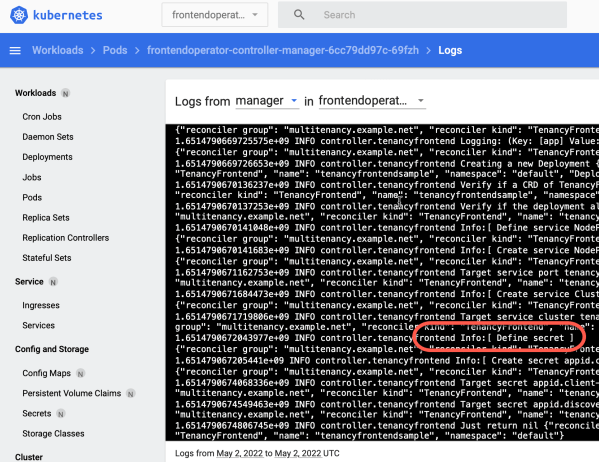
That blog post is about an easy example to get your custom logs of your operator, when the operator is running on a Kubernetes cluster. That blog post does reference an example GitHub project called Example Tenancy Frontend Operator you can use to verify the steps. (branch monitor-grafana-operator) In this project I wrote a short custom logging that... Continue Reading →

That blog post is about the situation that the Prometheus Operator installed from the Community Catalog doesn't work anymore on a Kubernetes 1.23.6_1527 cluster version.

Maybe you will get the following error when you try to work with a go operator-sdk project you cloned from GitHub. MAKE: *** [GENERATE] ERROR 127
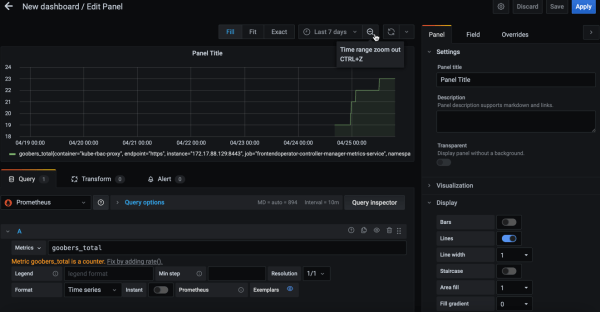
That blog post does focus on a basic installation of the Grafana operator to get an understanding how that operator basically works in the context to the two blog posts I made before

In the last long blog post we covered the topic Monitor your custom operator with Prometheus. That means we did a setup of a Prometheus operator and we created a Prometheus service instance. In our operator we registered an example counter called goobers_total at the Prometheus server to monitor the invocations for our controller inside the operator application. Now we want to access the counter information goobers_total by using the Prometheus HTTP API from a local Golang application.
 Thomas Suedbroecker's Blog