This blog post provides a list of links to resources for setting up a Java development environment on MacOS.
CheatSheet: How to set up Java and Maven on macOS


I want to share my experience in the cloud, AI, and agents development areas.
This blog post provides a list of links to resources for setting up a Java development environment on MacOS.

This blog post outlines a bash automation for setting up and testing Text Generation Inference (TGI) using a container. It provides instructions for creating a Python test client, starting the TGI server, and troubleshooting common issues. The post emphasizes the benefits of using containers and references the Hugging Face and Nvidia technologies.
This cheat sheet provides a two-step guide for adding users to your watsonx project in IBM Cloud.
This post introduces the use of Block Storage in Virtual Server Instances, particularly in relation to GPUs. It covers the process of mounting and configuring block storage, along with creating, formatting, and mounting the disk. It also provides steps for permanently mounting the storage and attaching existing block storage to a new virtual service instance machine.
The blog post provides a short guide on accessing source code remotely with SSH using VS Code. It covers which of the Visual Studio Code extensions you should install, SSH configuration, connecting to the host, and using VS Code for remote development. The post also includes helpful tips and an example SSH configuration for a Raspberry Pi.
This post covers to ensure you set the virtual environment for Python in VS Code using venv. It details creating and activating a Python venv, and ensuring it’s used in VS Code environments. The steps include opening the VS Code command palette, selecting an interpreter, and navigating to the pyvenv.cfg file.
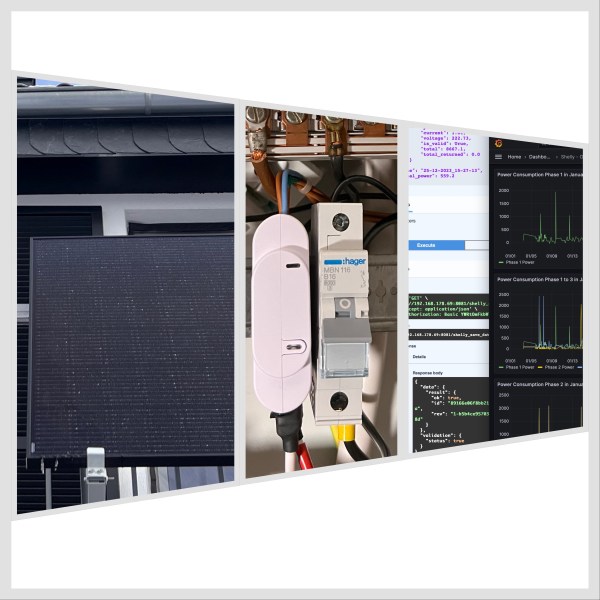
The blog post details an example implementation of a connection server using Shelly 3EM, IBM Cloud Cloudant, and Grafana. It aims to store historical data for visualizing electricity consumption. The project involves detailed architecture, environment setup, Python, FastAPI, Podman, and more usage. The setup covers Raspberry Pi, Podman Compose, and IBM Cloud Code Engine environments, with prerequisites and detailed configurations. The approach allows users to monitor and visualize power consumption efficiently and cost-effectively using Grafana.
This brief article provides a step-by-step guide for setting up and running a PostgreSQL database container locally using Podman Desktop and podman-compose. It covers installation, configuration, and execution, along with additional notes on maintenance and troubleshooting.

Generative AI offers diverse business opportunities, often requiring GPU for intensive computing. IBM Cloud provides easy GPU instantiation with Virtual Server Instance (VSI) in a Virtual Private Cloud, available in minutes with pay-per-usage. This guide covers VPC configuration, VSI setup with GPU, SSH access, GPU accessibility in Ubuntu, and GPU verification in Python.
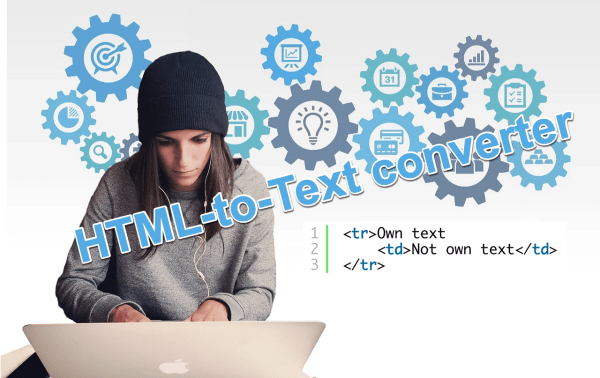
This blog post is about the powerful JSOUP Java Library, which allows you to convert an HTML to plain formatted text based on your requirements by extracting and inspecting HTML elements in various ways. We check two methods to do this in this example.
 Thomas Suedbroecker's Blog