The post discusses automating local testing of IBM watsonx Orchestrate with Ollama models using a Bash script. The script simplifies the setup process, ensuring proper connections and configurations. It initiates services, confirms model accessibility, reducing typical setup errors.
A Bash Cheat Sheet: Adding a Model to Local watsonx Orchestrate
The this post describes a Bash automation script for setting up the IBM watsonx Orchestrate Development Edition. The script automates tasks like resetting the environment, starting the server, and configuring credentials, allowing for a more efficient workflow. It addresses common setup issues, ensuring a repeatable and successful process.
Getting started with Text Generation Inference (TGI) using a container to serve your LLM model
This blog post outlines a bash automation for setting up and testing Text Generation Inference (TGI) using a container. It provides instructions for creating a Python test client, starting the TGI server, and troubleshooting common issues. The post emphasizes the benefits of using containers and references the Hugging Face and Nvidia technologies.
CheatSheet: How to loop an endpoint of an application running on “IBM Cloud Code Engine” with a bash automation
This blog post is a CheatSheet about how to loop an endpoint of an application running on IBM Cloud Code Engine with a bash automation.
Build and push a container image to IBM Cloud Container Registry using bash automation
This extract is from a bash automation script in the question-answering GitHub project. The bash script automates the deployment to IBM Cloud Code Engine. The extraction is about the building and pushing a container to the IBM Cloud Container Registry.
Standard config files to save PATH settings for shell scripting
These are the standard config files that save PATH settings for shell scripting. There is an appropriate Stackoverflow entry: What's the difference between .bashrc, .bash_profile, and .environment?
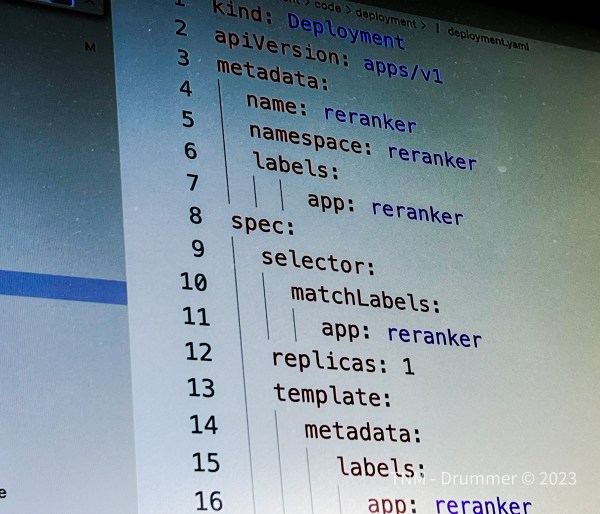
A custom Reranker deployment on Kubernetes
The objective of this project is to deploy the Reranker to a Kubernetes cluster in a VPC on IBM Cloud and access the REST API of the Reranker. The Reranker is a component of PrimeQA.
Run Watson NLP for Embed in a KServe ModelMesh Serving environment on an IBM Cloud Kubernetes cluster in a VPC environment
This blog post is about to run Watson NLP for Embed example in a KServe ModelMesh Serving environment on an IBM Cloud Kubernetes cluster in a Virtual Private Cloud environment and reuses parts of the IBM Watson Libraries for Embed documentation.
Run Watson NLP for Embed on an IBM Cloud Kubernetes cluster in a Virtual Private Cloud environment
This blog post is about to deploy the IBM Watson Natural Language Processing Library for Embed to an IBM Cloud Kubernetes cluster in a Virtual Private Cloud (VPC) environment and is related to my blog post Run Watson NLP for Embed on IBM Cloud Code Engine. IBM Cloud Kubernetes cluster is a “certified, managed Kubernetes solution, built for creating a cluster of compute hosts to deploy and manage containerized apps on IBM Cloud“.
Bash scripting: How to create a new custom resource file from a template file using sed?
In this blog post we use an existing template file, that we created for a custom resource to insert the needed value for an URL to point to a container image in a container registry, to create custom resource yaml file we use to deploy that custom resource . The template file contains a string which we will replace with the content of URL to the container image. We haven't used helm, kustomize to do that in this situation.