Podman is enhancing its capabilities in managing containers, allowing seamless integration with Kubernetes. This blog outlines how to configure a Podman machine, including creating a machine with specific resources and modifying configurations without deletion. It highlights essential commands like podman machine init and podman machine set.
How do you handle access to the local filesystem data with Podman Desktop on macOS?
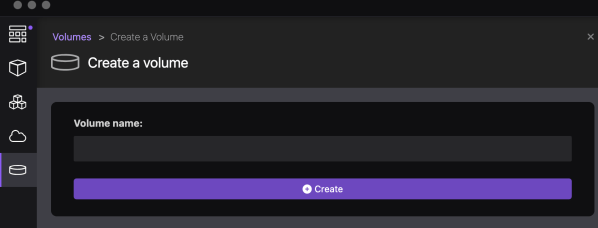
This blog post explores managing local filesystem access with Podman Desktop on macOS. It discusses two options: mapping an existing local folder as a volume to the container, and creating a local Podman volume and accessing data inside the container. Detailed steps for both approaches are provided, addressing potential access rights issues.
Build and push a container image to IBM Cloud Container Registry using bash automation
This extract is from a bash automation script in the question-answering GitHub project. The bash script automates the deployment to IBM Cloud Code Engine. The extraction is about the building and pushing a container to the IBM Cloud Container Registry.
Run Watson Speech to Text for Embed on an IBM Cloud Kubernetes cluster in a Virtual Private Cloud environment
This blog post is about to deploy the IBM Watson Speech to Text Library for Embed to an IBM Cloud Kubernetes cluster. IBM Cloud Kubernetes cluster is a “certified, managed Kubernetes solution, built for creating a cluster of compute hosts to deploy and manage containerized apps on IBM Cloud“.
Run Watson NLP for Embed on an IBM Cloud Kubernetes cluster in a Virtual Private Cloud environment
This blog post is about to deploy the IBM Watson Natural Language Processing Library for Embed to an IBM Cloud Kubernetes cluster in a Virtual Private Cloud (VPC) environment and is related to my blog post Run Watson NLP for Embed on IBM Cloud Code Engine. IBM Cloud Kubernetes cluster is a “certified, managed Kubernetes solution, built for creating a cluster of compute hosts to deploy and manage containerized apps on IBM Cloud“.
Run Watson NLP for Embed on IBM Cloud Code Engine
This blog post is about using the IBM Watson Natural Language Processing Library for Embed on IBM Cloud Code Engine and is related to my blog post Run Watson NLP for Embed on your local computer with Docker. IBM Cloud Code Engine is a fully managed, serverless platform where you can run container images or batch jobs.
Run Watson NLP for Embed on your local computer with Docker
This blog post is about using the IBM Watson Natural Language Processing Library for Embed on your local computer with Docker. The IBM Watson Libraries for Embed are made for IBM Business Partners. Partners can get additional details about embeddable AI on the IBM Partner World page. If you are an IBM Business Partner you can get a free access to the IBM Watson Natural Language Processing Library for Embed. To get started with the libraries you can use the link Watson Natural Language Processing Library for Embed home. It is an awesome documentation and it is public available.
Create an edge route for an example application on a Red Hat OpenShift Cluster on IBM Cloud
the content, with some small modifications, to my existing example application. It's the same application I used in this blog post Using the internal OpenShift container registry to deploy an application.
Using a Red Hat OpenShift cluster on IBM Cloud some basic thoughts
This blog post is about some basic thoughts when you going to use a Red Hat OpenShift cluster as a service on IBM Cloud or on any other cloud provider.
Configure a project in an IBM Cloud Red Hat OpenShift cluster to access the IBM Cloud Container Registry
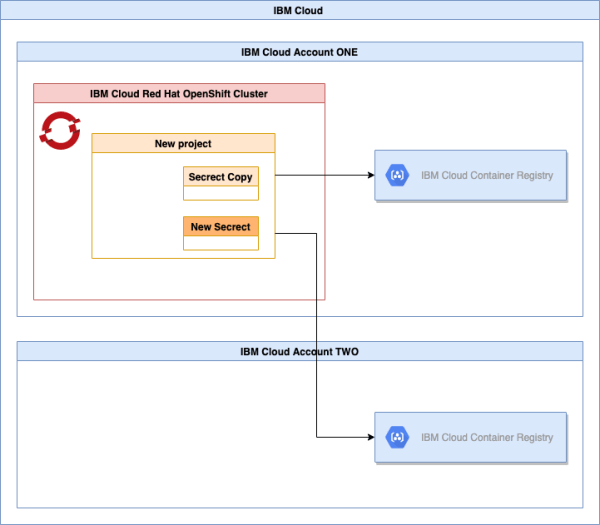
This cheat sheet is about, how to configure a project in an IBM Cloud Red Hat OpenShift to access the IBM Cloud Container Registry. We use an image pull secret to access container images from IBM Cloud Container Registries. The cheat sheet combines different steps, which are available in the IBM Cloud documentation.