

In this blog post, I want to delve into the crucial role of Prompt Engineering with AI models and how to be practical from a more technical perspective.
Today, Large Language Models (LLMs) have gained immense popularity, especially since ChatGPT’s interactive chat experience was introduced. The business landscape is now focused on minimizing effort in various areas, and LLMs are a crucial tool in this endeavor. They are available in giant, medium, and small sizes for multiple topics, making AI with LLMs feasible in a growing number of scenarios due to the reduced computing power required.
We are using AI prompts to interact with LLMs. I like the following definition for an AI prompt:
“An artificial intelligence (AI) prompt is a mode of interaction between a human and a large language model that lets the model generate the intended output. This interaction can be a question, text, code snippets, or examples.” By Kinza Yasar, Technical Writer
The intended output is, in the end, all we want from an LLM, and when we talk about the intended output we should have “golden” ground truth data. In short, we need a valid and proven input for your model with the related known and verifiable output to test the LLM model’s generated output. When we develop prompts, they are often intended to work for many combinations of different inputs, which means there will be a lot of manual work to verify the “prompt” works.
Example “golden” ground truth testing data from Defog data repository for Text to SQL test.
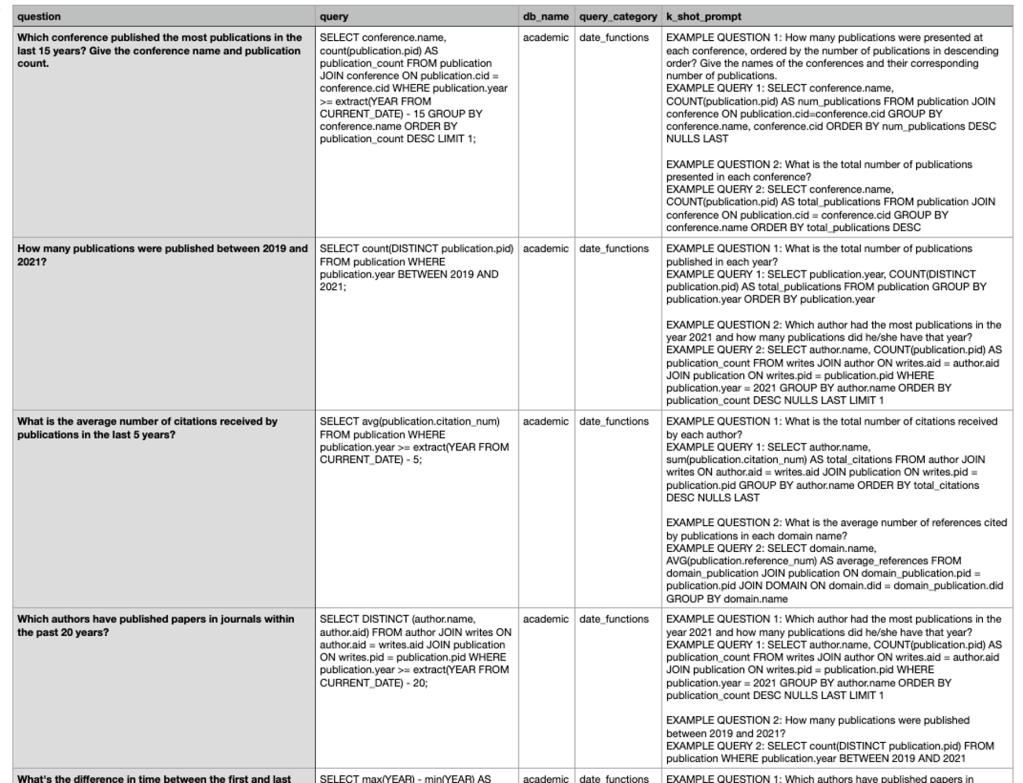
Table of content
- Why do we have too little automation?
- Manual starting point
- 2.1 Different main prompt structures
- 2.1.1 Chat
- 2.1.2 Structured
- 2.1.3 Freeform
- 2.2. Variables
- 2.1 Different main prompt structures
- Initial automatisation
- Summary
1. Why do we have too little automation?
From my perspective, there is often too little automation during the Prompt Engineering. Manual testing is very time-consuming and error-prone, containing a lot of copying and pasting. Surly, manual effort needs to be seen versus the implementation effort for automation for test execution and documentation generation.
But during a project, the amount of test data usually rises, and this causes the manual work to verify minimal prompt changes explode for copies and past and manual comparisons, even worse, mostly without proper documentation of the results, which can make it impossible to find possible root causes; why does it or why does the prompt not work?
The best is if the generated model output can be directly compared with an exact string comparison, and this comparison can be done automatically, including the result documentation. The documentation should include the variables for the prompt, the prompt itself, and the generated output, and, if possible, it should contain the result for the exact string comparison. Automation is also functional when automatically comparing the generated and expected results is impossible because you can avoid copying and pasting errors.
When you have the generated and expected results side by side in a table, it is easier for human eyes to compare.
Example extract for a test run with the Defog eval framework for Text to SQL.

When we do Prompt Engineering purely manually, then we should do this only for a limited amount of our “golden” ground truth data, let’s say three rows in a table. If we need more, we should implement automation to run the tests. When we know our “golden” ground truth data will grow over time, we should start with automation as soon as possible.
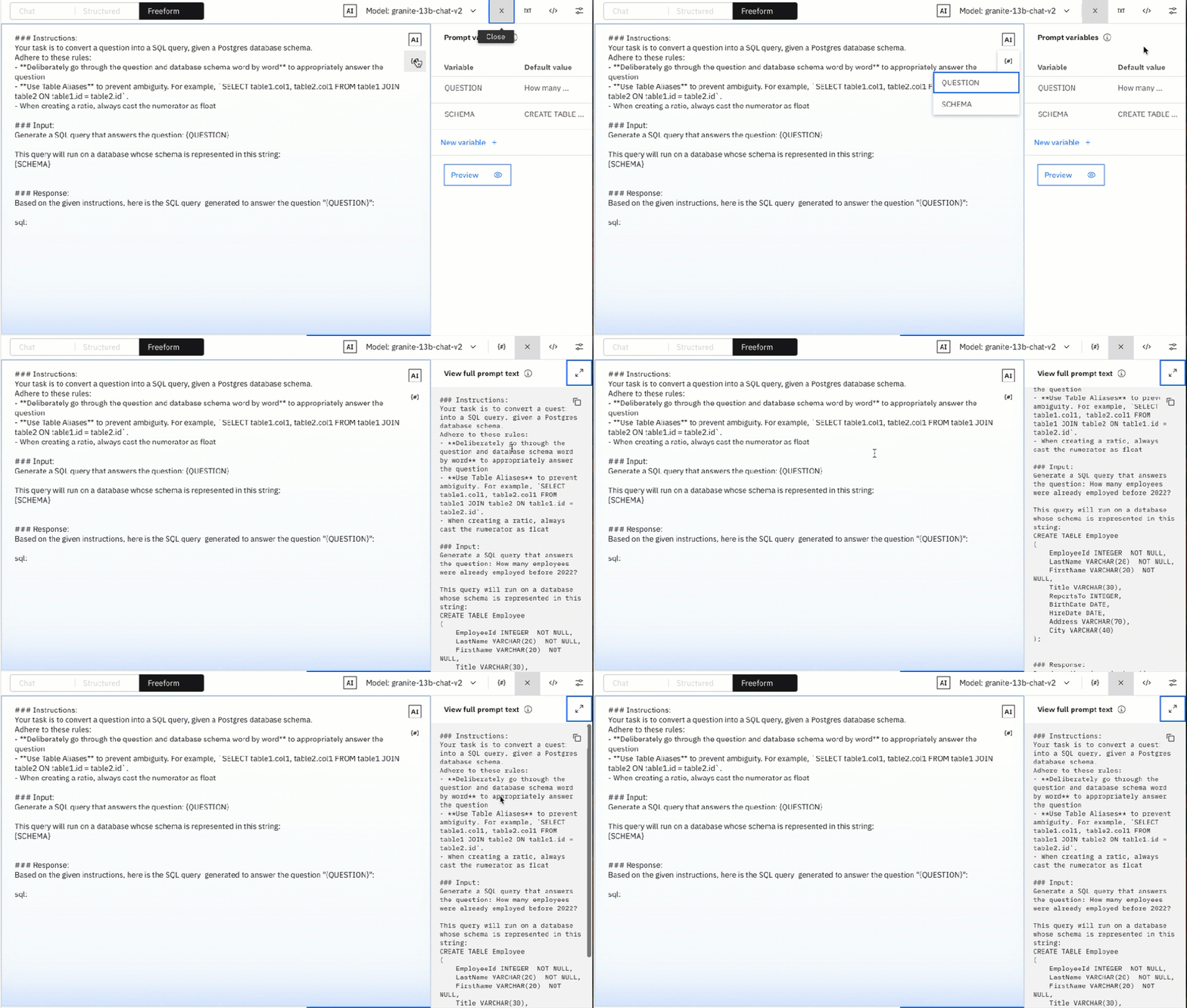
So, we need to introduce prompt templates containing variables that are to be replaced by text as early as possible.
Example prompt template for Text to SQL containing the variables question and database_schema.
### Task
Generate an SQL query to answer the following question:
{question}

### Database Schema
This query will run on a database whose schema is represented in this string:
{database_schema}

### SQL
Given the database schema, here is the SQL query that answers {question}:
```sql
{
    "sql_query": "
The test results, manual or automated, should be saved close to the same way we would do it for software tests, best aligned with the automation code, in a version control system.
When we are going to automate the extraction of the generated response of the LLM, we should ensure that these responses can easily be parsed in the programming language we chose for the automation, so it makes sense to define a JSON response format.
{
    "sql_query": "SELECTCAST(COUNT(*) AS float) AS float) FROM Employee WHERE HireDate < '2022-01-01';"
}
In the next chapters, I will cover the manual starting point and the challenges, and then a potential automation solution therefore I will use the Prompt Lab in watsonx.ai.
2. Manual starting point
Using the Prompt Lab in watsonx.ai provides an excellent manual starting point and allows us to turn manual prompt execution into initial automation using Jupyter Notebooks.
You can find more details in the related IBM Documentation “Prompt Lab”.
Created a 43 min video about this manual starting point.
2.1 Different main prompt structures
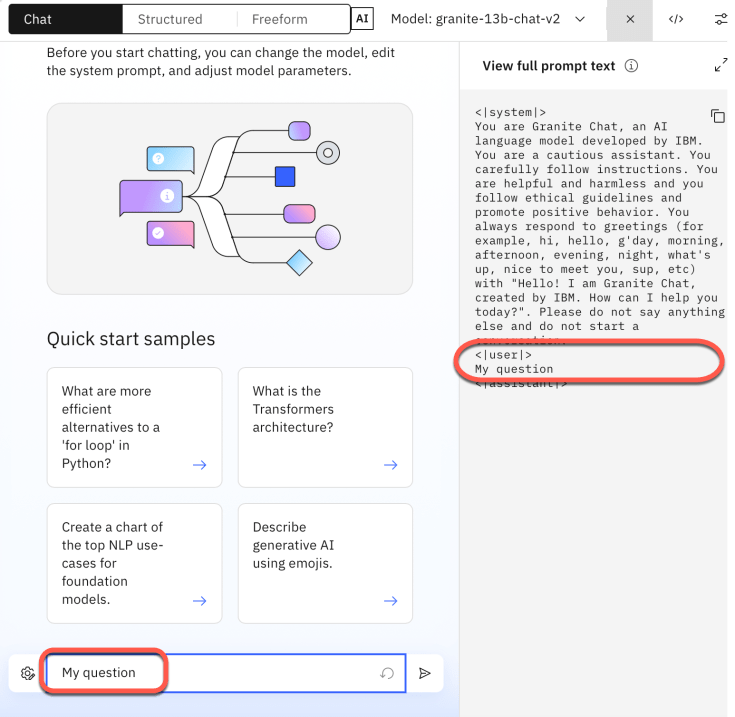
The prompt lab is well structured and shows the three main possibilities for interacting with an LLM: chat, pre-structured, and freeform.
In the image below, “Chat” is selected.
| Type | Notes |
|---|---|
| Chat | Just interact with the model directly with a predefined prompt for chats. |
| Structured | Help, you to pre-structure your prompt easily in: Instructions, Example Inputs, and the final input |
| Freeform | You are responsible for the entire prompt format. |
2.1.1 Chat interation
You can see the full prompt-text on the right-hand side, which will be sent to LLM.

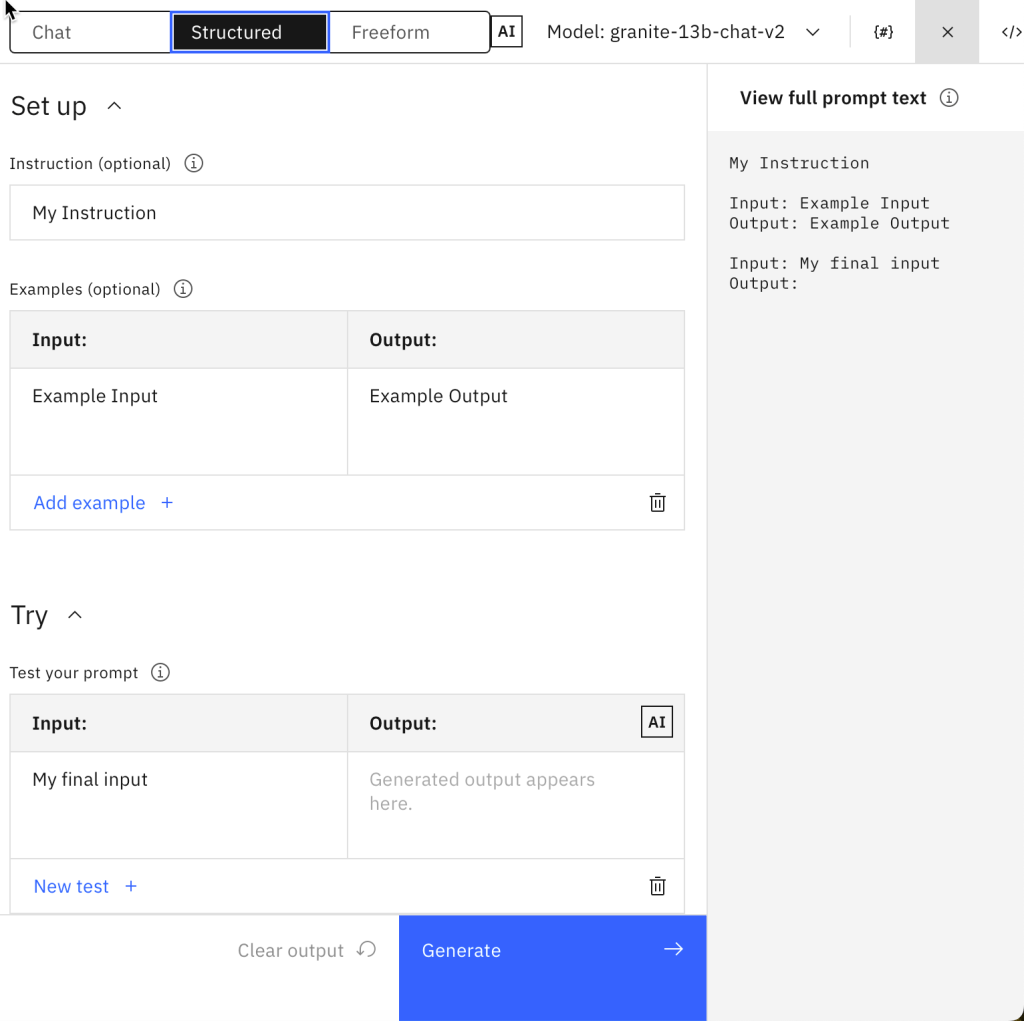
2.1.2 Structured editor
The “structured” tab is organized in the main sections you usually have in a prompt, which helps you focus on the relevant areas:
- Instructions, these are the instructions that are primarily related to business areas.
- Examples, are used for one or few shoot promping.
- Final input, this input is primarily a question.
You can see the full prompt-text on the right-hand side, which will be sent to LLM.
2.1.3 Freeform editor
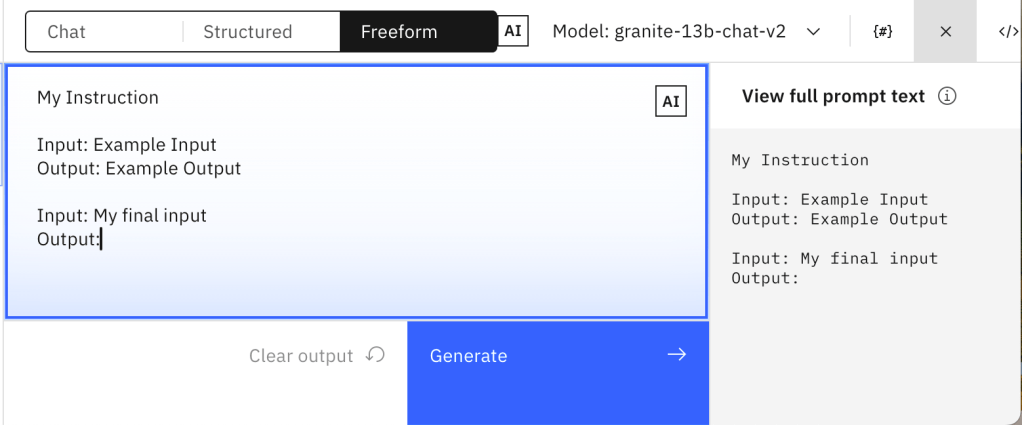
In the “Freeform” tab, we are fully responsible for the entire prompt. I copied the prompt-text from the “structured tab”.
My Instruction
Input: Example Input
Output: Example Output
Input: My final input
Output:
2.2. Variables
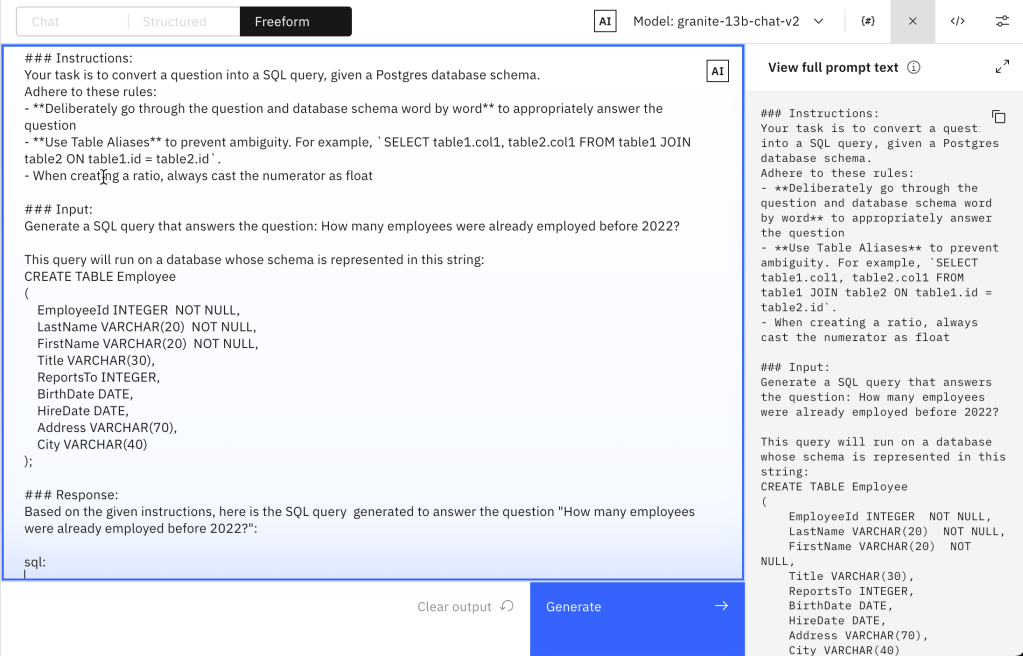
One of the first steps in preparing automation is introducing variables. The following prompt is an example of the “Text to SQL” use case, we will replace the schema and the question with variables.
### Instructions:
Your task is to convert a question into a SQL query, given a Postgres database schema.
Adhere to these rules:
- **Deliberately go through the question and database schema word by word** to appropriately answer the question
- **Use Table Aliases** to prevent ambiguity. For example, `SELECT table1.col1, table2.col1 FROM table1 JOIN table2 ON table1.id = table2.id`.
- When creating a ratio, always cast the numerator as float
### Input:
Generate a SQL query that answers the question: How many employees were already employed before 2022?
This query will run on a database whose schema is represented in this string:
CREATE TABLE Employee
(
 EmployeeId INTEGER  NOT NULL,
 LastName VARCHAR(20)  NOT NULL,
 FirstName VARCHAR(20)  NOT NULL,
 Title VARCHAR(30),
 ReportsTo INTEGER,
 BirthDate DATE,
 HireDate DATE,
 Address VARCHAR(70),
 City VARCHAR(40)
);
### Response:
Based on the given instructions, here is the SQL query  generated to answer the question "How many employees were already employed before 2022?":
sql:
- Without variables
- With variables
3. Initial automatisation
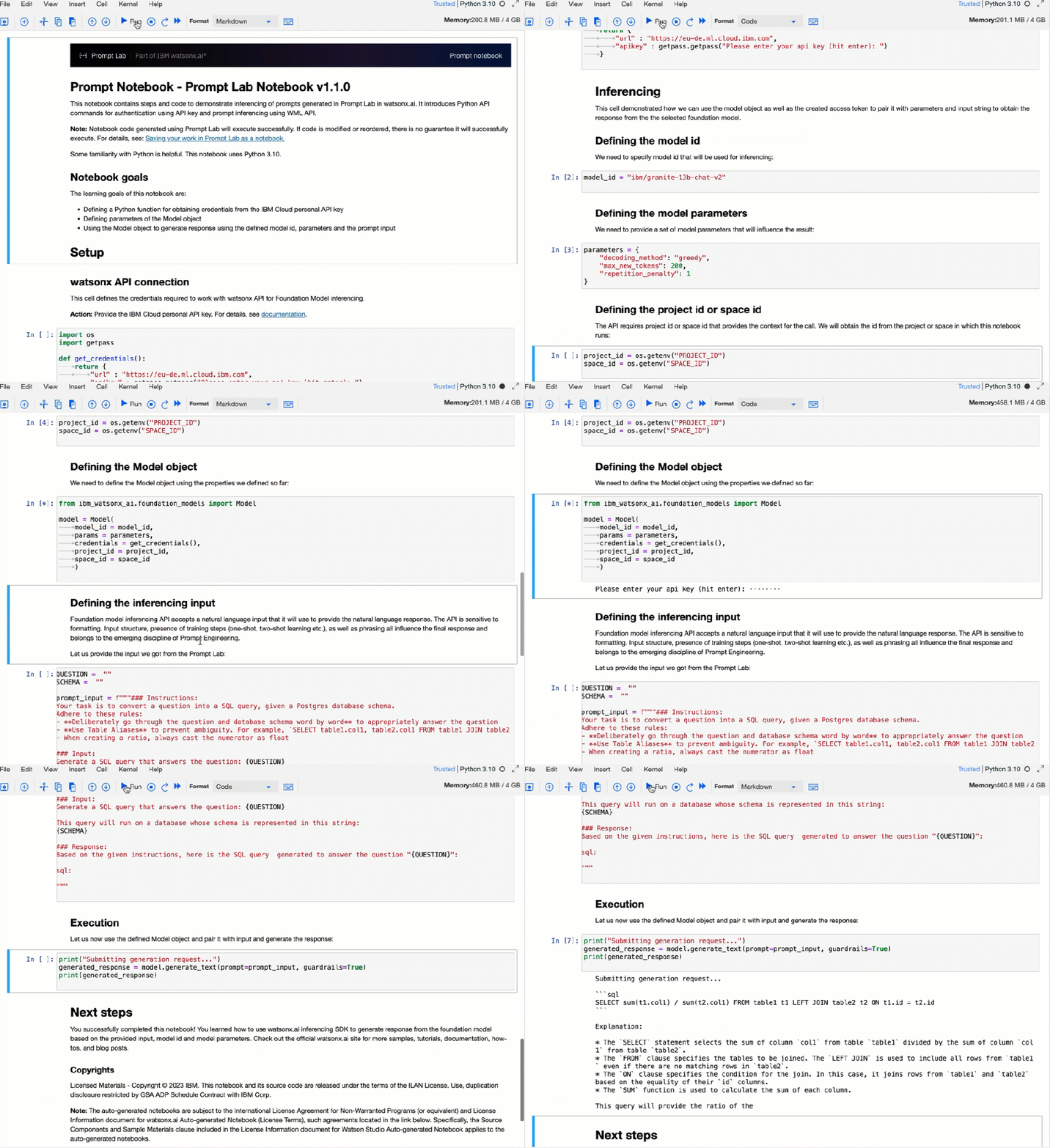
The watsonx.ai Prompt Lab allows us to turn manual prompt execution into initial automation using Jupyter Notebooks.
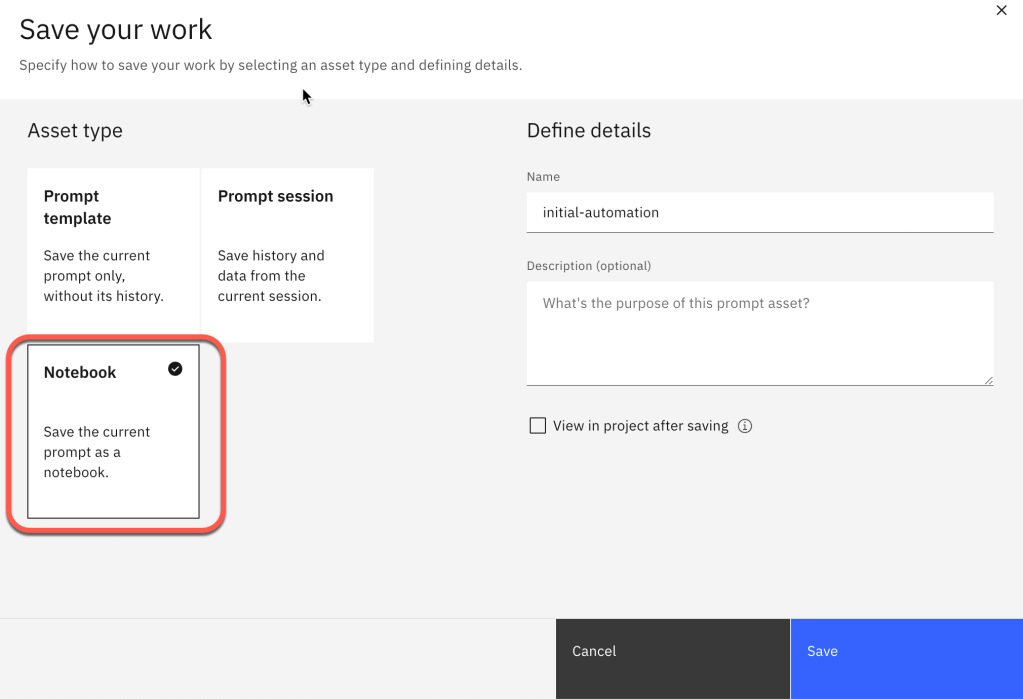
You can find more details in the related IBM Documentation “Prompt Lab”.
Here is an example execution of the Jupyter Notebook in IBM watsonx.
The complexity of your automation framework depends on the additional objectives of the automation, such as ease of use. For example, it must be containerized, run locally and remotely, with metrics that must generated, and many more; these questions are often prevented even starting with automation because the automation should be perfect. I think even when not everything is automated, it helps to be more consistent and reproducible.
In this context video Unlock the Potential of watsonx Prompt Template deployments and use Granite Code in VS Code to build applications! 🚀 can be useful.
4. Summary
Overall, Prompt Engineering can be challenging because every character counts, which can result in massive manual work. With the support of automation of the execution, validation, and documentation, you create additional effort for the implementation to parse the generated result of the model, but this needs to be done in any way later because you want to integrate the outcome into one of your business applications.
In short, manual “Prompt Engineering” without any automation support makes sense when you have up to three variables, which only have three variations; for more, you should start with automation.
Integrating the versioning of the automation code with the test data, prompts, and test/experiment results can be a good approach.
The watsonx.ai Prompt Lab is an excellent environment for starting manual Prompt Engineering and turning it into an initial automation.
I didn’t talk about the model parameter’s variations in this context, but indeed, this should also be managed and documented during Prompt Engineering.
It makes sense in this context to take a look into Large Language Model Operations llmops article, thinking about how to integrate Prompt Engineering into llmops.
And the best, it makes more fun 😉
By the way: You can find simple examples for watsonx use cases in the IBM Digital Self-Servce Co-Create Experience (DSCE).
PS: As you have noticed, this blog post was about something other than automatic prompt engineering, which generates automated new prompt instruction, let’s say, the entire prompt, as you see in the definition in the Prompt Engineering Guide. It was more about the manual challenge of copying and pasting context and variables into a prompt.
The image below is a screen short for Prompt Engineering Guide 12—July 2024, which defines an Automatic Prompt Engineer.

I hope this was useful to you and let’s see what’s next?
Greetings,
Thomas
#promptengineering, #llm, #automation, #watsonx, #promptlab, #ai, #watsonxai, #ibm, #defog
 Thomas Suedbroecker's Blog
FYI: Why do I call the the three interaction possibilities with a large language model in the watsonx Prompt Lab “prompt structures”.
A Prompt is as we can simplified say a text which will be send to a large language model, this text can be structure in various ways, this fact inspired my to say the three possibilities to interact with the large language models in the Prompt Lab are three Out-Of-The-Box pre-defined prompt structures.
– Chat is bound to a Chat Prompt structure containing information on the system, user, and assistant.
– Structured bounds you to structure your Prompt in instructions, examples (shoots), and the question, or let me call it the last instruction 😉
– Freeform has no boundaries you are totally free to structure your Prompt as you want.
LikeLike