

If you’re a developer or involved in coding, the IBM Granite for Code models on Hugging Face might be useful for you. To save you time searching for resources, I’ve compiled a brief post with some of the available resources.
IBM Granite for Code models, conveniently accessible on Hugging Face, can be seamlessly integrated into VS Code. This ease of integration empowers developers, making the models easy to consume and enhancing the coding experience.
When you use AI assistants in your coding, it’s important to reference them in your code documentation. This responsible practice can help you in the future, ensuring that your code is not mistaken for plagiarism. For more on this, check out the IBM article Impact on education: plagiarism risk for AI | IBM watsonx.
The GIF below shows a short preview of the integration in VS Code with watsonx Code Assistant.
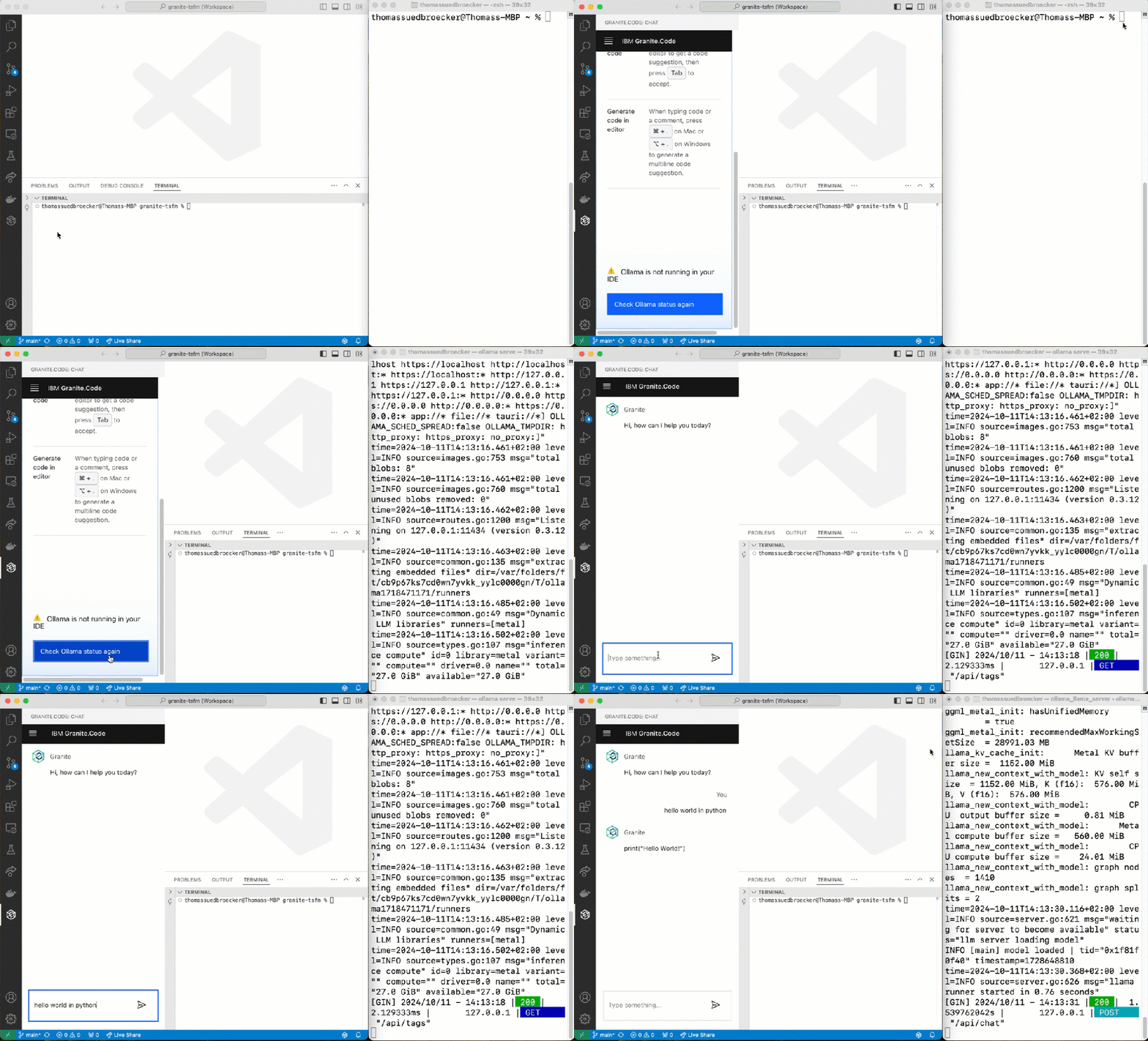
Some highlights
- Trained for 116 programming languages
- Available under Apache 2.0 license for research and commercial use
- Available on Hugging Face for usage
- You can directly integrate them into VS Code
- Accessible playground for an easy and fast first interaction
- Usage for internal chat and code generation
Helpful information resources
- GitHub Granite Code Models
- Granite Play Ground on IBM.com
- Introduction articles from IBM Developer:
- VS Code Marketplace “IBM Granite.Code”
- Hugging Face Granite Code Models
I hope this was useful to you and let’s see what’s next?
Greetings,
Thomas
#vscode, #codemodel, #ai, #developer, #ibm, #ibmdeveloper, #granite, #granitecode, #ai, #watsonxcodeassistant, #codeassistant
PS: I am using the command line to start Ollama (the inference to run the models locally), and I have now installed “granite-code:20b 11GB” and “granite-code:8b 4.6 GB”.
/opt/homebrew/opt/ollama/bin/ollama serve
 Thomas Suedbroecker's Blog
Granite 4 in Ollama
Suggestion of steps
## Step 1: https://ollama.com/library/granite4 inspect the available models
## Step 2: Uninstall brew version, if needed
“`sh
brew list | grep ollama
brew uninstall ollama
brew install pkgconf
brew link pkgconf
brew upgrade pkgconf
“`
## Step 3: Install for Mac using https://ollama.com/download
## Step 4: Start Ollama from your programs
## Step 5: Remove older models
“`sh
ollama list
ollama rm granite-code:8bollama rm granite-code:20b“`
## Step 6:Pull the granite models
“`sh
ollama pull granite4:tiny-h
ollama pull granite4:350m-h
“`
## Step 7: Configure the used models in watsonx Code Assistant setting in VS code
“`sh
Wca › Local: Chat Model (Applies to all profiles)
Wca › Local: Code Gen Model (Applies to all profiles)
“`
## Step 8: Serve the model
“`sh
killall Ollama
ollama serve granite4:tiny-h
“`
## Step 9: Open a new terminal and verify the model is running
“`sh
ollama list
“`
LikeLike